
Beam IPTV Player1.0.6 - App Store
You'll be able to see results in few seconds.
Publisher Description
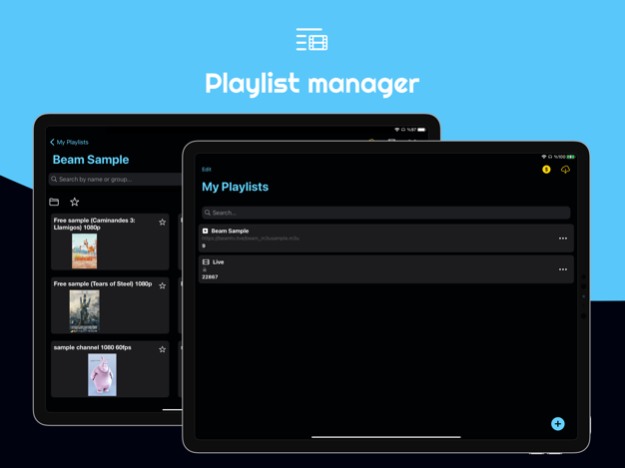
Watch the TV IPTV from your ISP or any other TV Internet source through your iPhone or iPad or Smart TV or Desktop!
Features:
• Subtitles Downloading
• xtream Player
• Smart TV & Desktop Player
• Play IPTV
• Streaming for Internet channels
• Play-multicast streams through a UDP proxy (the proxy must be configured in your local network)
• Support M3U and M3U8, ability to add playlists from Internet.
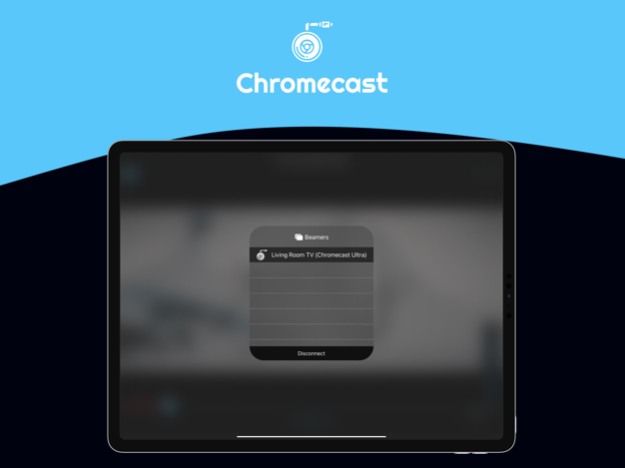
• Chromecast (Play all Extensions)
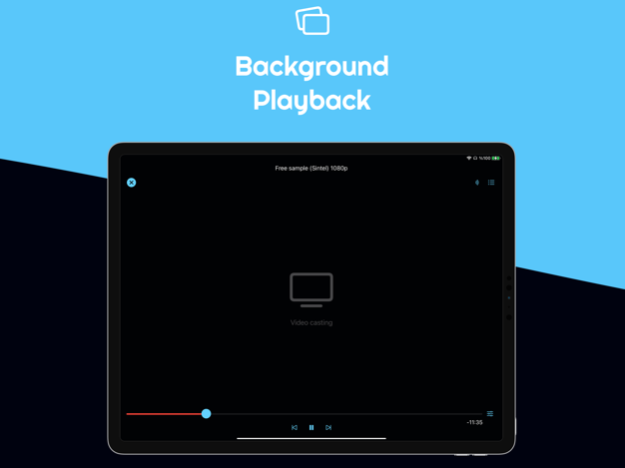
• Background playback
• Sync playlists
Plays any movie file
All popular formats are supported:
ASF (.asf, .wmv)
AVI (.avi)
DivX (.divx)
Flash Video (.flv, .f4v)
Matroska (.mkv)
MPEG (.mpg, .mpeg)
MPEG-TS (.ts, .mts, .m2t, .m2ts)
MPEG-4 (.mp4, .m4v)
Ogg (.ogg, .ogv)
QuickTime (.mov)
RealMedia (.rm, .rmvb)
VOB (.vob)
WebM (.webm)
…and many lesser known formats too.
Some formats support multiple video encodings, but those are all supported too: HEVC, H264, H265, VP8, VP9? No problem!
Additional features;
- Share lists between devices using Airdrop or any other application installed on the device.
- Favorites.
- Theme light, dark or automatic.
- If the channel allows, switching subtitles and secondary audio.
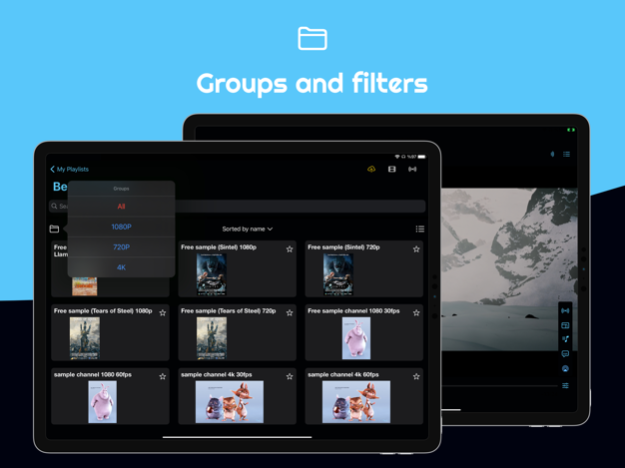
- If the m3u list contains groups these will be displayed in the application or you can create your own groups.
M3U list example:
# EXTM3U
#EXTINF: -1 tvg-logo = "https://www.server.com/logo1.jpg" group-title = "Group1", Channel 1
http://myserver.com:4022/rtp/239.0.0.76:8208
#EXTINF: -1 tvg-logo = "https://www.server.com/logo2.jpg" group-title = "Group2", Channel 2
http://myserver.com:4022/rtp/239.0.0.2:8208
Attention! Playback is advisable to do being connected to a wireless network because the connection 3G / 4G could lead to charges from your mobile provider.
ATTENTION! The app does not provides list of channels, you must load your own lists.
BeamIPTV Player does not store or share your playlists. These are only stored on your device or privately on your iCloud account.
## In-App optional Subscriptions ##
------------------------------------
Features you get :
- Smart TV & Desktop Player
- Chromecast - plays all extensions
- Background playback
- iCloud sync
- Handle multiple Subtitles / Sound Tracks
- Watch on all your devices ( iPhone / iPad / AppleTV / MacOS )
## Extra Subscriptions Features ##
------------------------------------
* Subtitles Downloading
* xtream Player
* (Smart TV & Desktop Player) With Xtream support
------------------------------------------------------------------------
- Payment will be charged to your iTunes account at confirmation of purchase.
- Your subscription will automatically renew unless auto-renew is turned off at least 24-hours before the end of the current subscription period.
- Your account will be charged for renewal within 24-hours prior to the end of the current subscription period. Automatic renewals will cost the same price you were originally charged for the subscription.
- You can manage your subscriptions and turn off auto-renewal by going to your Account Settings on the App Store after purchase.
Terms of Use: https://beamtv.live/terms.html
Privacy Policy: https://beamtv.live/privacy.html
Mar 16, 2021
Version 1.0.6
New Features:
- Seek 15 sec forward and backward within the video player
- Control your screen brightness within video player
- Video Hardware decoding ( improves video player performance )
Other:
fixed channels list in RTL languages
bug fixes
About Beam IPTV Player
The company that develops Beam IPTV Player is Nadia Hammad. The latest version released by its developer is 1.0.6.
To install Beam IPTV Player on your iOS device, just click the green Continue To App button above to start the installation process. The app is listed on our website since 2021-03-16 and was downloaded 0 times. We have already checked if the download link is safe, however for your own protection we recommend that you scan the downloaded app with your antivirus. Your antivirus may detect the Beam IPTV Player as malware if the download link is broken.
How to install Beam IPTV Player on your iOS device:
- Click on the Continue To App button on our website. This will redirect you to the App Store.
- Once the Beam IPTV Player is shown in the iTunes listing of your iOS device, you can start its download and installation. Tap on the GET button to the right of the app to start downloading it.
- If you are not logged-in the iOS appstore app, you'll be prompted for your your Apple ID and/or password.
- After Beam IPTV Player is downloaded, you'll see an INSTALL button to the right. Tap on it to start the actual installation of the iOS app.
- Once installation is finished you can tap on the OPEN button to start it. Its icon will also be added to your device home screen.
Program Details
System requirements
Download information
Pricing
Version History
version 1.0.6
posted on 2021-03-16
Mar 16, 2021
Version 1.0.6
New Features:
- Seek 15 sec forward and backward within the video player
- Control your screen brightness within video player
- Video Hardware decoding ( improves video player performance )
Other:
fixed channels list in RTL languages
bug fixes
Disclaimer
Official App Store Link
We do not host Beam IPTV Player on our servers. We did not scan it for viruses, adware, spyware or other type of malware. This app is hosted by Apple and passed their terms and conditions to be listed there. We recommend caution when installing it.
The App Store link for Beam IPTV Player is provided to you by apps112.com without any warranties, representations or guarantees of any kind, so access it at your own risk.
If you have questions regarding this particular app contact the publisher directly. For questions about the functionalities of apps112.com contact us.
